Reading the error message
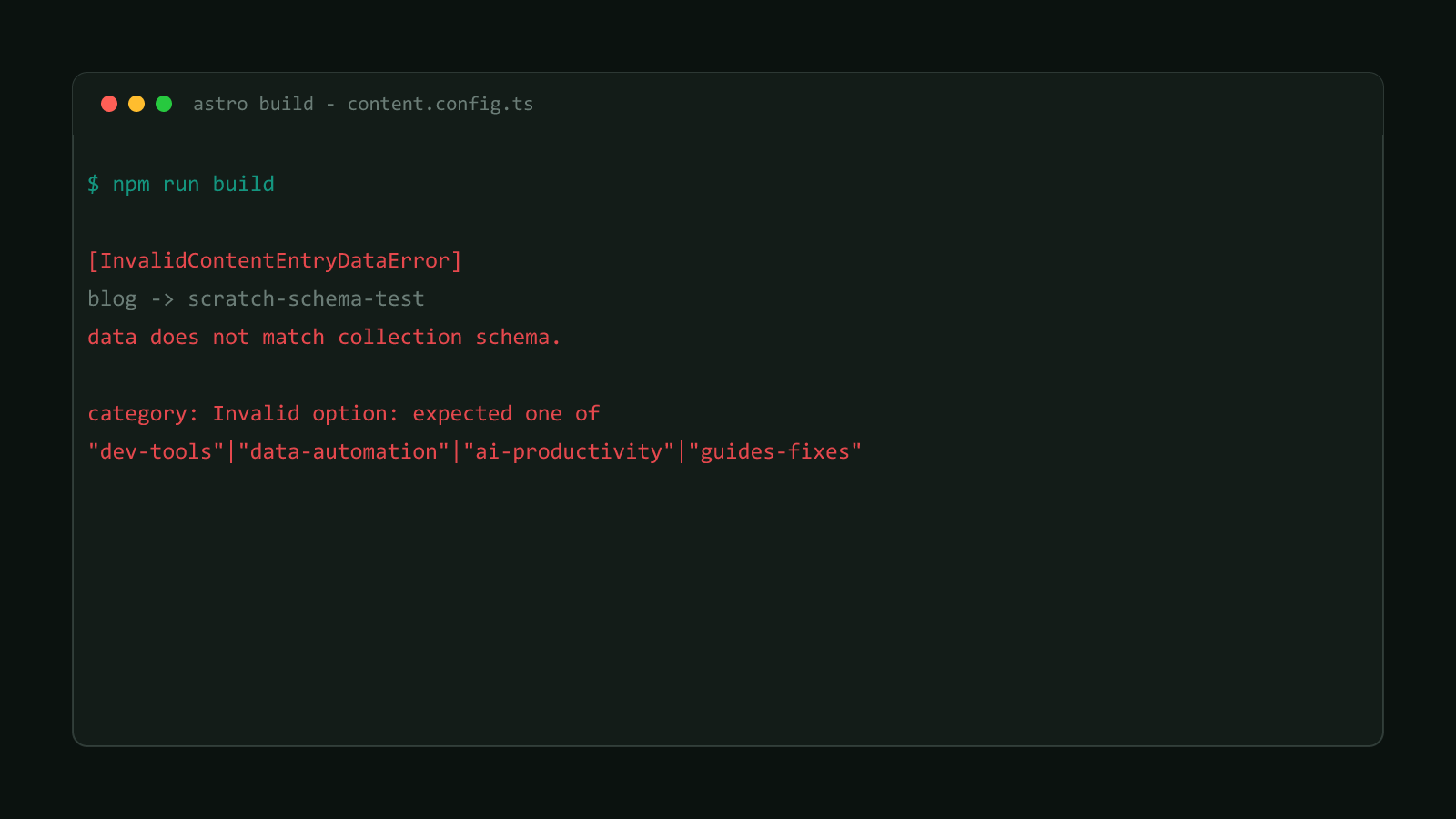
Astro reports a content schema mismatch through one error class: InvalidContentEntryDataError. In every case tested here, the message has the same shape: which collection and entry, then the specific field and why it failed. Astro’s own error reference documents this as “a content entry does not match its collection schema.”
Four real examples, confirmed against this site’s own schema
Each of these was reproduced directly against this repo’s src/content.config.ts, not guessed at from the message format.
Invalid enum value
category: guide-fixescategory: Invalid option: expected one of "dev-tools"|"data-automation"|"ai-productivity"|"guides-fixes"Fix: match one of the listed options exactly. This is almost always a typo, not a category that genuinely needs adding.
Missing required field
# coverImageAlt omitted entirelycoverImageAlt**: **coverImageAlt: RequiredFix: add the field. The field name shows up twice with stray asterisks around it. That’s an Astro formatting quirk in how it bolds the field name for this particular message, not a second error to chase down; the meaning is just “coverImageAlt: Required.”
Wrong type
tags: "astro"tags: Expected type "array", received "string"Fix: wrap the value in the type the schema expects. Here, tags: ["astro"].
A schema author’s own validation message
title: "This title is deliberately far too long to fit inside the sixty character limit the schema enforces"title: Title must be 60 characters or fewerFix: whatever this message says, literally. Unlike the first three, this text comes from a custom .max()/.refine() call in the schema, not one of Zod’s built-in defaults, so it’s usually the most specific one to read.
Confirmed behavior
- The build fails at the content-sync step, before Astro generates any page, not just the one with broken frontmatter. Confirmed by building each example above: the process never reached the page-build phase until that single entry validated.
astro checkreports the same error beforeastro buildruns, because it triggers the identical content sync step first. Confirmed directly against this repo.- Every example here was tested against this site’s own
astro@7.1.3install and its real schema incontent.config.ts, not a synthetic example project.
Read the field name and reason literally before assuming Astro found something more complicated. Most of the time it’s a one-line frontmatter fix, not a real schema problem. Browse more posts like this in the Guides & Fixes archive.