The exact flag, confirmed live
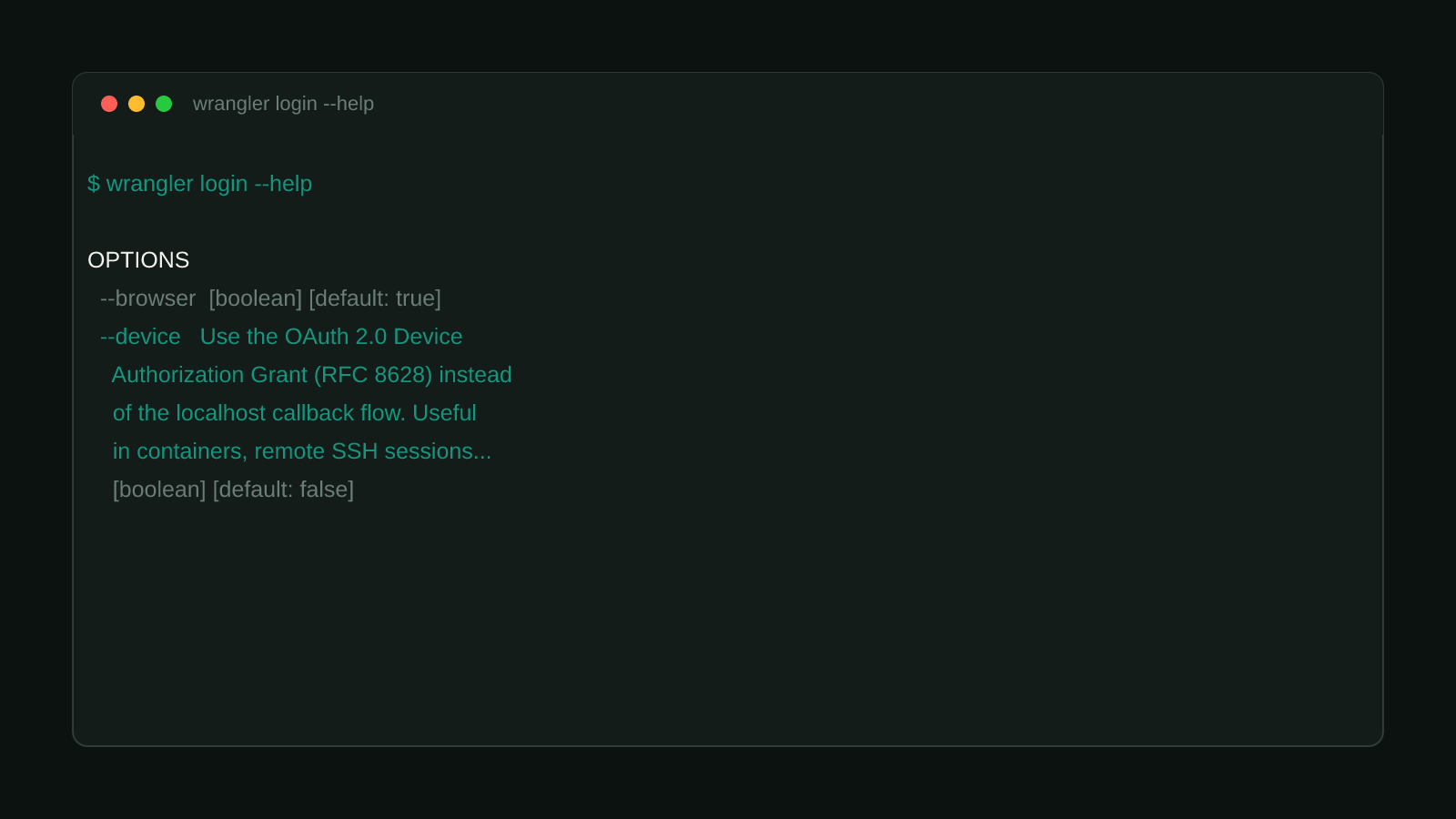
wrangler login’s default flow opens localhost:8976 and waits for an OAuth callback through a local browser. That fails outright in any environment with no browser to open, which is precisely the situation in a remote, terminal-only sandbox. Run directly against the installed CLI here:
$ wrangler login --help

OPTIONS
      --browser        Automatically open the OAuth link in a browser  [boolean] [default: true]
      --scopes         Pick the set of applicable OAuth scopes when logging in  [array]
      --callback-host  Use the ip or host address for the temporary login callback server.  [string] [default: "localhost"]
      --callback-port  Use the port for the temporary login callback server.  [number] [default: 8976]
      --scopes-list    List all the available OAuth scopes with descriptions
      --use-keyring    Store OAuth credentials in the OS keychain instead of a plaintext file (persisted across invocations)  [boolean]
      --device         Use the OAuth 2.0 Device Authorization Grant (RFC 8628) instead of the localhost callback flow. Useful in containers, remote SSH sessions, or other environments where localhost:8976 is unreachable from your browser.  [boolean] [default: false]
The --device flag’s own description names the exact use case: “containers, remote SSH sessions, or other environments where localhost:8976 is unreachable from your browser.” The changelog entry backing this, from cloudflare/workers-sdk’s packages/wrangler/CHANGELOG.md, wrangler@4.119.0 (released 2026-08-05):
“Add support for OAuth 2.0 Device Authorization Grant to
wrangler login”
Structural Comparison Matrix
| Operational Aspect | Default flow (--browser, unchanged) | Device flow (--device, new) |
|---|---|---|
| Requires a local browser | Yes | No |
| Login mechanism | Local callback server on localhost:8976 | A printed code, approved from any device |
| Fits headless/SSH/container sessions | No | Yes, by design |
Fix it: use --device when there’s no local browser
wrangler login --deviceWrangler prints a short code and a URL. Open that URL on any device with a browser, not necessarily the machine running the command, enter the code, and approve. The CLI polls in the background and completes the login once approval goes through, the same end state as the browser flow, just without needing a browser anywhere near the terminal that ran the command.
Both flags default to off for a reason
--browser defaults to true and --device defaults to false, so nothing
changes for a normal interactive login unless you explicitly ask for the
device flow. This is purely additive: existing scripts and habits keep working
exactly as they did before 4.119.0.
Confirmed version
Reproduced directly: wrangler login --help on wrangler@4.119.0, run from inside a remote, browser-less terminal session, exactly the kind of environment this flag exists for. Tracing back to wrangler@4.119.0, released 2026-08-05. Browse more posts like this in the Dev Tools archive.