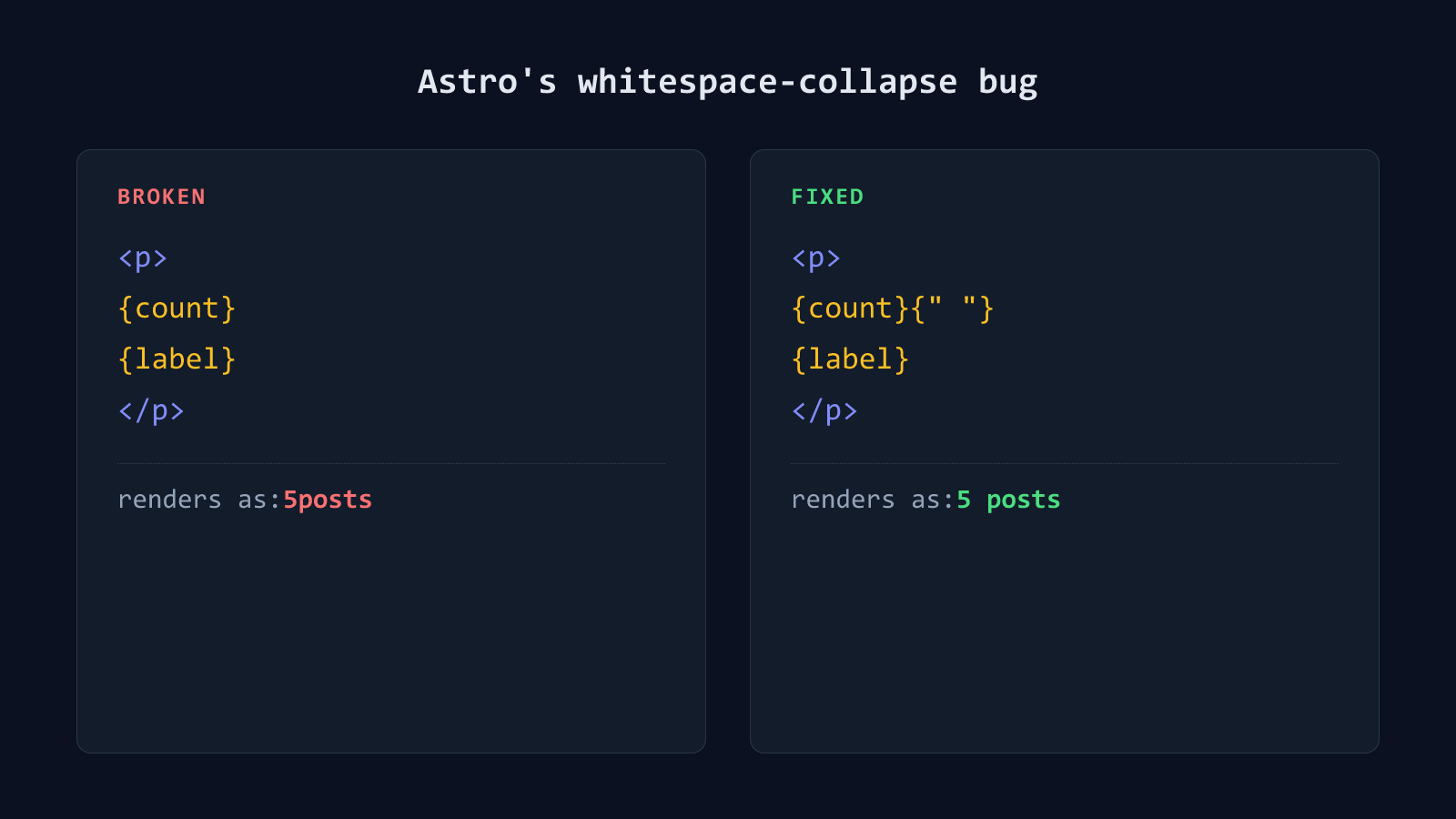
Astro collapses the whitespace between two expressions when they sit on separate lines with nothing but a line break between them. Write {count} and {label} as two lines inside a component, and the rendered page shows 5posts instead of 5 posts. The space silently disappears. The fix is a one-character addition: an explicit {" "} expression where the space used to be.
It’s easy to miss because the source looks completely normal. The bug only shows up in the rendered output, and by the time a word runs together on the live page, the actual cause is several files and a formatting pass away from where you’re looking.
Why Astro does this
Astro’s template syntax is JSX-derived, and JSX has a long-standing whitespace rule: text made up of nothing but spaces, tabs, and newlines between two elements or expressions gets trimmed away entirely, not condensed into a single space. That rule exists because indentation whitespace is assumed to be there for readability, not as meaningful content.
The trap is that the rule doesn’t distinguish between “this newline is just indentation” and “this newline replaced a space I actually wanted.” When both things you’re rendering are expressions, rather than static text, there’s no literal space character anywhere in the template for the compiler to preserve. So nothing renders between them.
This is an Astro 7 change, not a permanent Astro characteristic
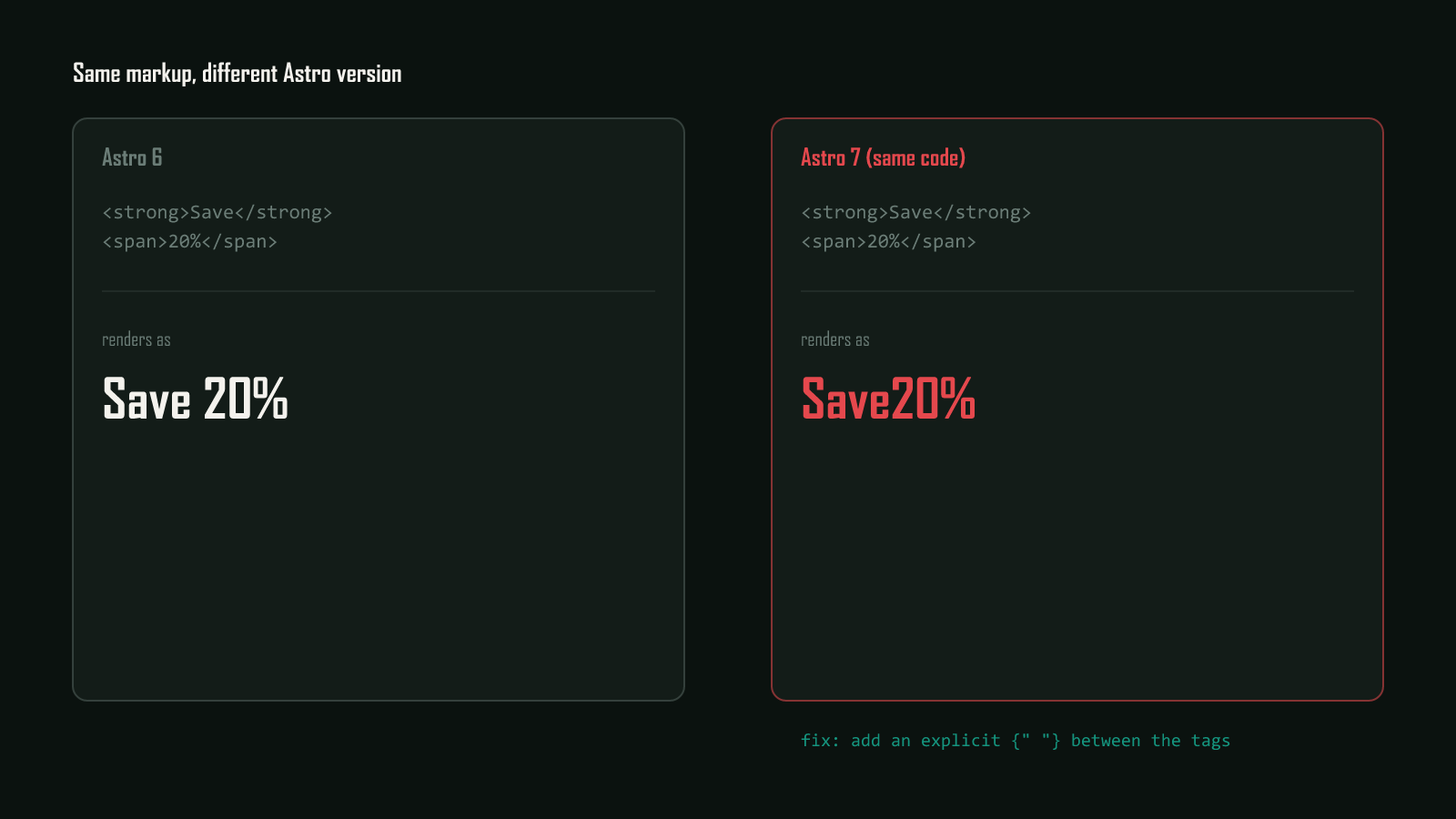
This rule is controlled by the compressHTML config option, which defaults to 'jsx' as of Astro 7. Astro 6 defaulted to compressHTML: true instead, which preserved this spacing (confirmed by building this exact page under both settings). Setting compressHTML: true in astro.config.mjs restores Astro 6’s behavior sitewide if patching every instance isn’t practical. The same default flip also breaks spacing between real HTML elements like <strong> and <span> on separate lines; see fixing the Astro 7 compressHTML spacing bug for that variant.
The fix: an explicit space expression
<p>
  {count}
  {label}
</p><p>
{count}{" "}
{label}
</p>{" "} is itself an expression, a string literal containing one space, so it’s no longer whitespace-only text sitting between two expressions. It’s a real value, and Astro renders it exactly as written.
This can appear after you didn't touch the content
Prettier collapses the explicit space placeholder from the fixed example above back down to a plain, single-line space whenever the whole tag’s content fits on one line. A single-line string there is unambiguous. The moment that same content later wraps across multiple lines, whether from Prettier’s own line-length limit, a longer word, or a prop added nearby, the placeholder becomes required again. Leave it out and the space vanishes with no change to the words themselves. A totally unrelated formatting pass is what can introduce a text-merging bug days after the paragraph was written correctly.
How to actually confirm it’s fixed
Don’t trust how the source looks. Trust the built output. A missing space collapses invisibly in the editor; nothing about {count}{"·"}\n{label} versus {count}\n{label} reads differently at a glance. The only way to know for certain is to inspect the compiled HTML.
node -e "
const fs = require('fs');
const html = fs.readFileSync('dist/client/archive/index.html', 'utf8');
const match = html.match(/<p class=\"archive-count\"[^>]*>([^<]*)<\/p>/);
console.log(match && match[1]);
"
If that prints 5 posts across 4 categories with real spaces, it’s fixed. If it prints 5postsacross4categories, a {" "} is missing somewhere in that block. Go find it before shipping, not after a reader points it out.
When this is actually worth checking
Reach for this check wherever a paragraph or heading interleaves more than one expression with no static text holding them apart, counts, dates, or anything assembled from a few pieces like {count} {label}. A component that renders a single expression, or expressions already separated by real static text (Posted on {date}), never hits this rule and doesn’t need it.
This is one of a few Astro-specific gotchas this site has run into directly. See fixing the Rich Results Test’s missing-author error for another one that only shows up after you’ve already shipped. For the full rundown of Astro’s template expression syntax, see the official Astro syntax docs.