Why Astro 7 collapses this space
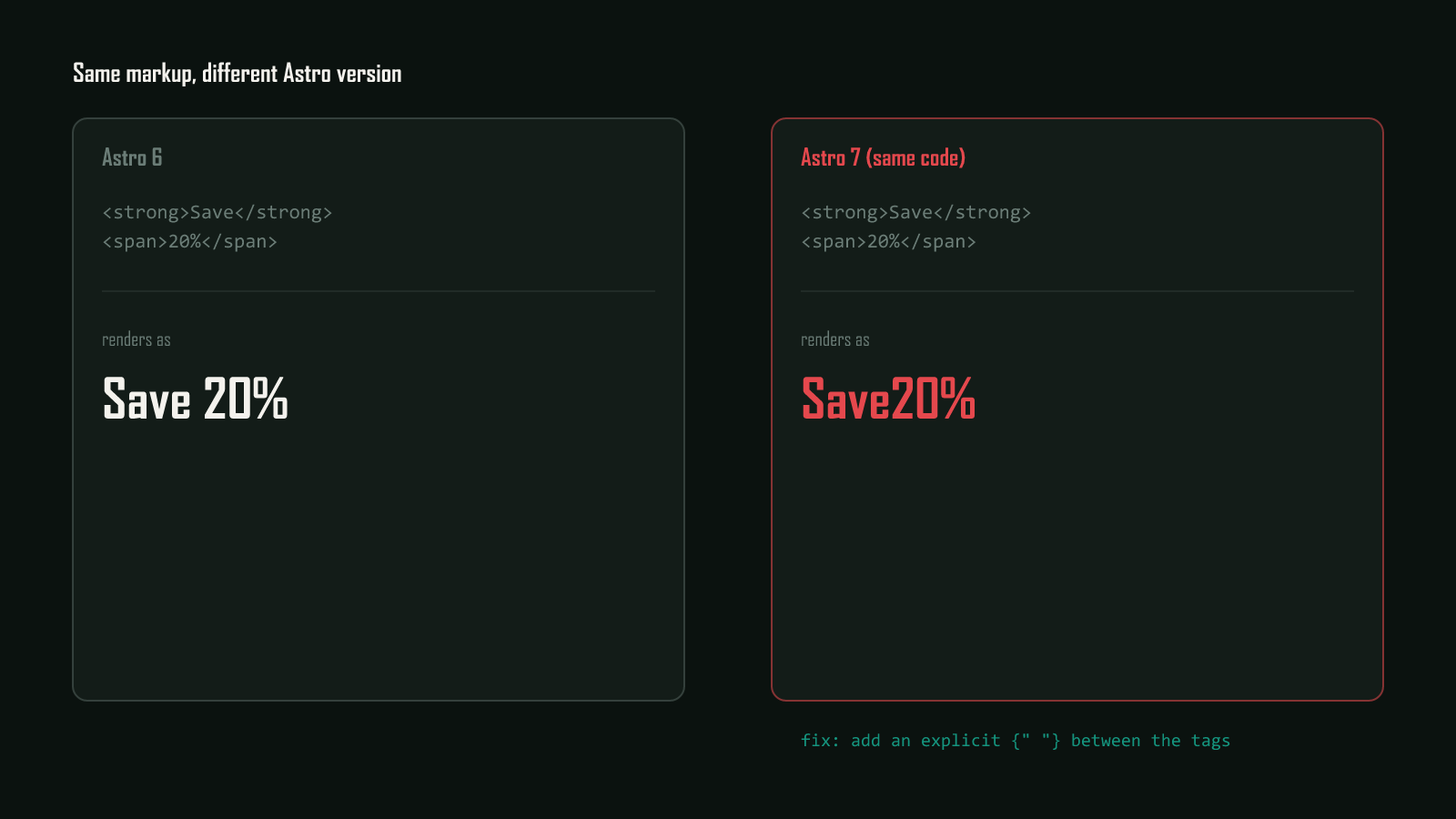
Astro 7 changes compressHTML’s default value to 'jsx'. The official Astro v7 upgrade guide explains the new rule: whitespace and line breaks around elements are stripped the same way JSX frameworks like React strip them, replacing Astro 6’s own HTML-aware compression. A real space typed on the same line survives. A line break with nothing else on it does not.
Verified directly on this site’s own astro@7.1.3 install, which doesn’t override compressHTML in astro.config.mjs and so runs on the new default: two inline elements written on separate lines compile to <strong>5</strong><span>posts</span>, no space at all, while the same markup with a space typed on one line compiles to <strong>5</strong> <span>posts</span>.
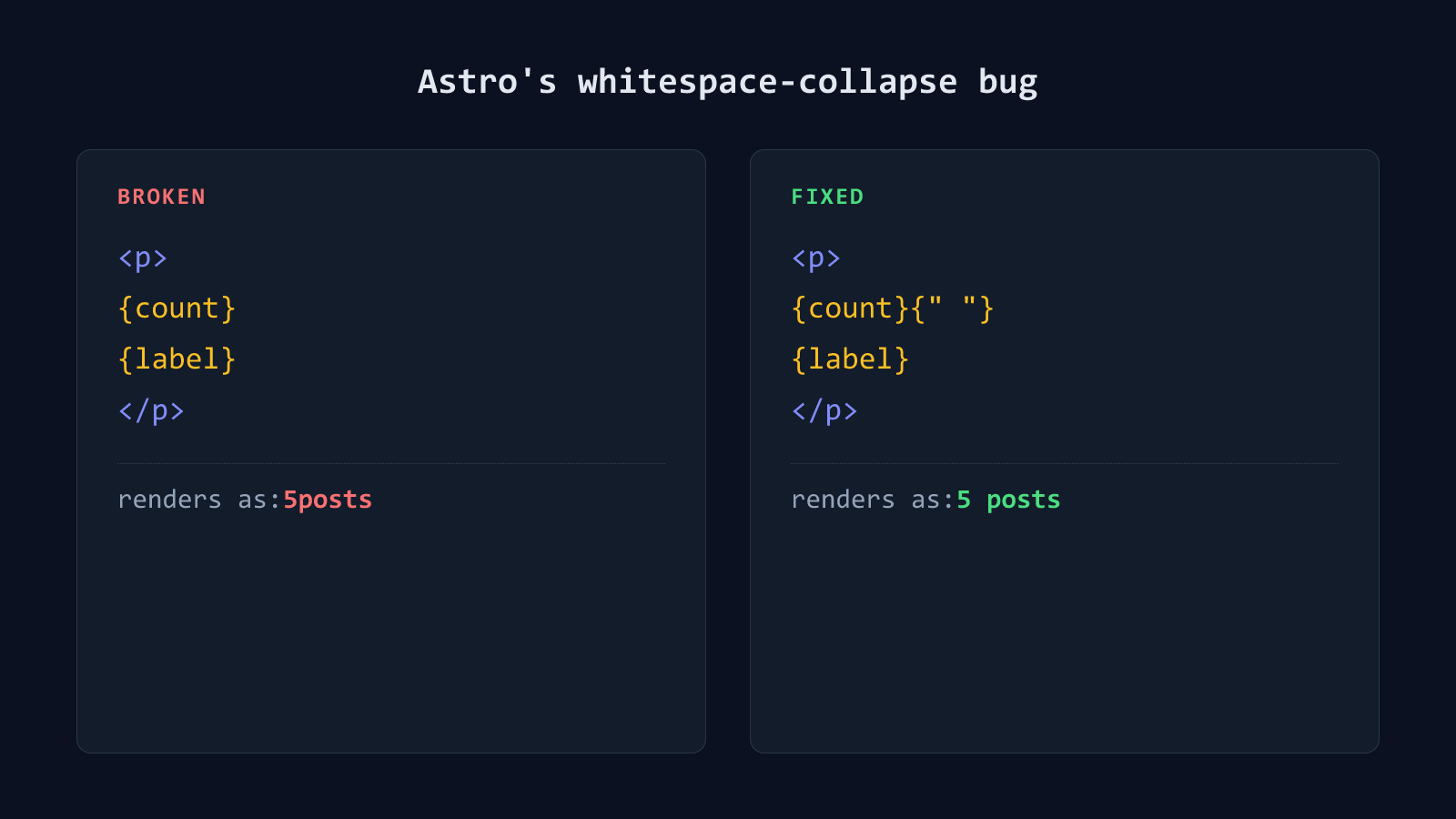
Two expressions merging instead? Same cause, different post
If your two pieces are {expression} blocks rather than real HTML tags, like
{count} and {label}, you’re hitting the same compressHTML default flip,
just on a different pair of node types. Astro 6’s compressHTML: true
preserved that spacing too, confirmed by testing both cases against this
repo’s own astro.config.mjs. See why Astro silently merges text like
‘5posts’ into one
word for the
expression-specific fix.
Fix it: add the explicit space back
Before: renders fine in Astro 6, broken in Astro 7
<p>
  <strong>5</strong>
  <span>posts</span>
</p>
Compiles to, confirmed on astro@7.1.3:
<p><strong>5</strong><span>posts</span></p>After: explicit space expression
<p>
  <strong>5</strong>{" "}
  <span>posts</span>
</p>
Compiles to, confirmed on the same install:
<p><strong>5</strong> <span>posts</span></p>{" "} is a string literal, not whitespace-only text, so Astro renders it exactly as written no matter how the surrounding lines wrap.
Restore Astro 6’s behavior sitewide
If this shows up in many places at once, patching every instance is slower than restoring the old default in one place.
export default defineConfig({
  compressHTML: true,
  // ...rest of your config
});
This brings back Astro 6’s HTML-aware compression everywhere. It’s still real compression, so genuinely meaningless whitespace still gets removed. It just stops applying the JSX rule that strips a line break sitting between two elements. This option is documented directly in Astro’s own upgrade guide; the explicit-space fix above is the one independently confirmed against this site’s build.
Check every place your markup pairs two inline elements across separate lines after upgrading, not just the one spot where someone already noticed. It costs nothing to look, and the mistake stays invisible until a reader points it out. Browse more posts like this in the Guides & Fixes archive.