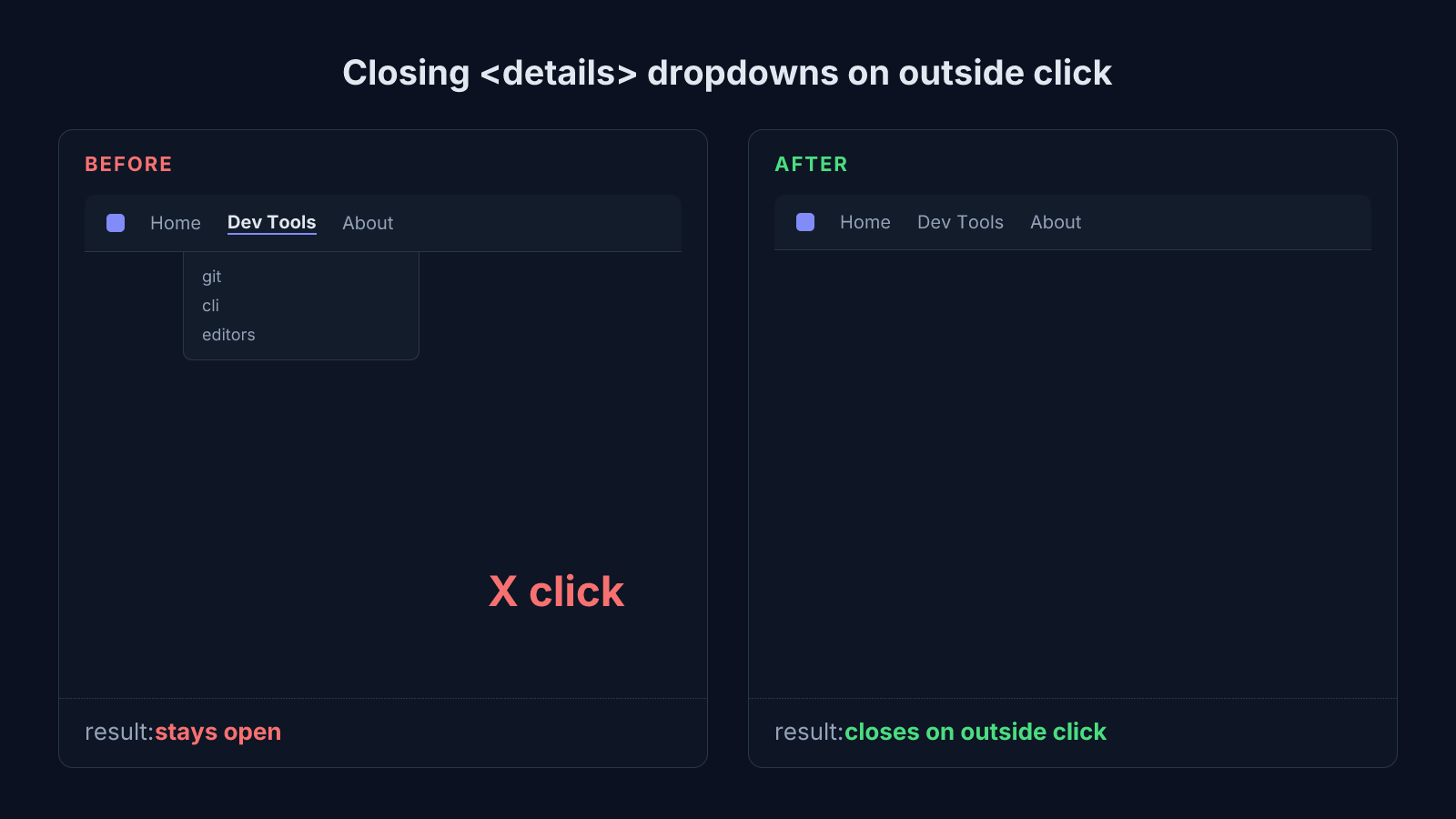
A native <details> element only toggles when you click its own <summary>. Click anywhere else (a different dropdown, a button, empty page space) and it stays open, because the browser never wired up outside-click handling for it. The fix is a small, dependency-free script: on every click anywhere in the document, close any open <details> unless the click happened inside that same element.
This isn’t a bug in the browser. It’s a real gap between what <details> was built for (a simple content disclosure, like a spoiler) and what people actually reach for it to do (a dropdown menu), and the second use case needs code the first one never required.
Why <details> doesn’t close on its own
The HTML spec gives <details> exactly one interaction: clicking (or pressing Enter/Space on) its <summary> toggles the open attribute. That’s it. There’s no concept of “outside” built in, because for a plain collapsible section (an FAQ answer, a spoiler tag), staying open regardless of where else the reader clicks is the correct behavior. A dropdown menu wants the opposite, and the browser has no way to know which one you’re building.
The fix: close on any outside click
function closeOpenHeaderDetails(except) {
  document.querySelectorAll(".site-header details[open]").forEach((details) => {
    if (!except || !details.contains(except)) {
      details.removeAttribute("open");
    }
  });
}

document.addEventListener("click", (event) => {
  closeOpenHeaderDetails(event.target);
});
Every click on the document runs this function, passing the exact element that was clicked. Any open <details> that doesn’t contain that element gets closed. Passing the click target (rather than closing everything unconditionally) matters for one specific case: clicking a different dropdown’s own <summary> still opens it natively, on the same click that this script is busy closing the first one. Switching between two sibling dropdowns ends up feeling like one continuous gesture instead of two separate clicks.
Handling Escape too
document.addEventListener("keydown", (event) => {
  if (event.key === "Escape") closeOpenHeaderDetails();
});
No exception argument here. Escape means close everything that’s open, regardless of where focus currently sits. There’s no sibling dropdown to preserve, so the conditional the click handler needs doesn’t apply.
Scope the selector to what you actually built
Query a scoped selector like .site-header details[open], not every
<details> on the page. A blog post can legitimately use <details> for an
unrelated collapsible section, and that one should stay open exactly as long
as the reader left it, regardless of what else they click elsewhere on the
page.
Why this beats a click-outside library
No dependency, no bundle weight, and it scales to every dropdown on the page for free. A desktop nav menu and a mobile hamburger menu built the same way both match .site-header details[open], so one listener handles both instead of one listener per menu. For a site that ships zero JavaScript by default and only adds it where an interaction genuinely needs it, this is the entire cost of making dropdown menus behave the way users already expect them to.
How to verify it actually works
Three checks cover the real failure modes: open one dropdown, click something that isn’t a dropdown (a button, the page body), and it should close. Open one dropdown, then click a sibling dropdown’s own <summary>; the first should close and the second should open, in that single click. Press Escape while one is open, and it should close. If any of those three don’t hold, the exception logic or the selector scope is the first place to look.
Reach for this exact pattern anywhere <details> is standing in for a dropdown menu (navigation, a filter panel, an actions menu), wherever outside-click-to-close is the behavior a user already expects from every other menu on the web. Skip it for a genuine collapsible content section, where staying open no matter what else gets clicked is the whole point.
See the MDN reference for the <details> element for the native toggle behavior this fix builds on, and the Astro whitespace-collapse bug for another small, real bug from this same site’s header.