Why this is worth checking even if nothing looks broken
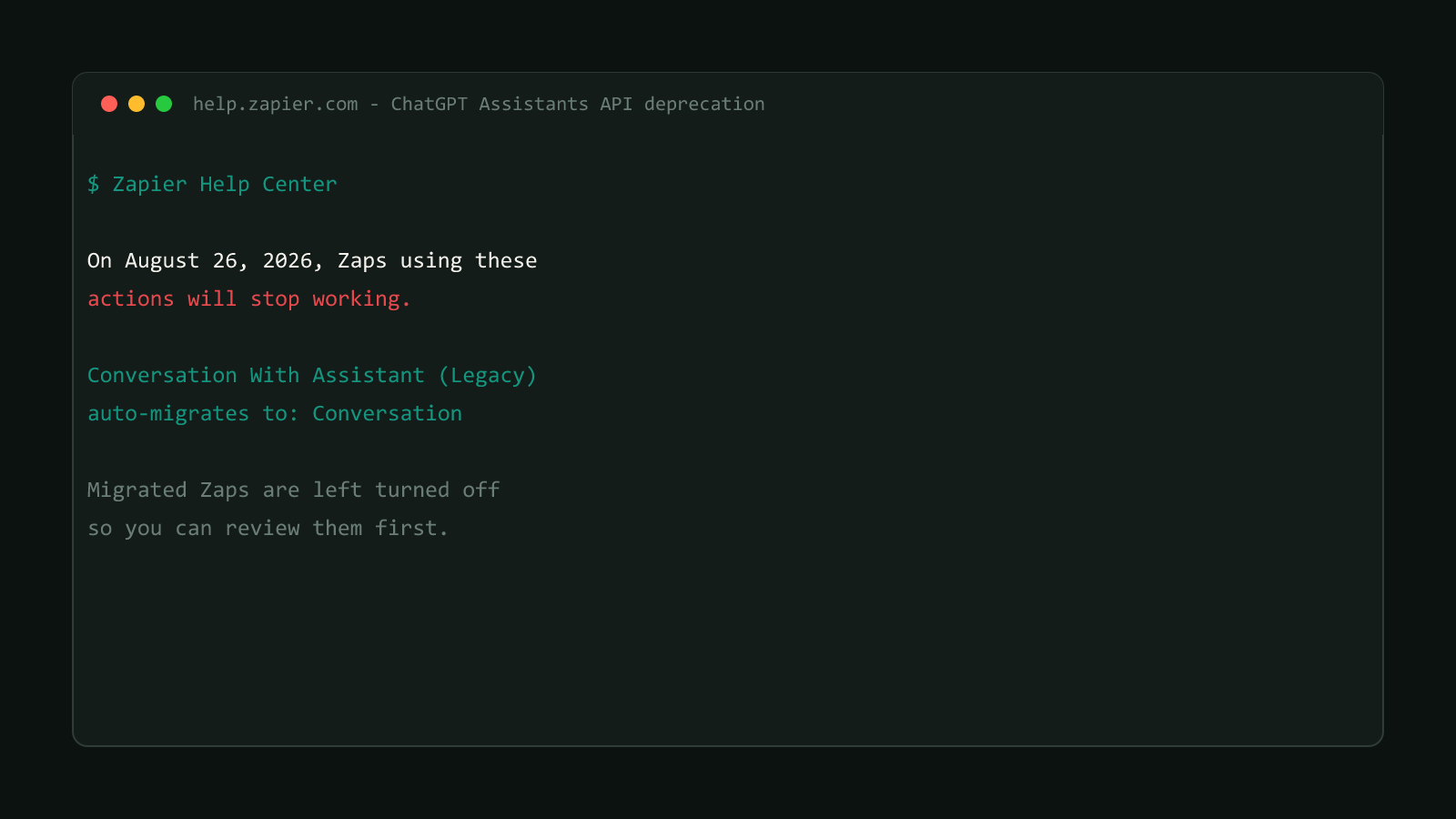
OpenAI is deprecating its Assistants API, and Zapier’s own ChatGPT deprecation notice states the deadline plainly:
“On August 26, 2026, Zaps using these actions will stop working.”
A short honesty note before going further: ByteTech247 doesn’t run Zapier. This site’s own automation is Cloudflare Workers and GitHub Actions, covered in our Cloudflare API deprecation pillar. Everything below is drawn directly from Zapier’s own Help Center documentation, not from running these exact Zaps ourselves.
For the Conversation With Assistant (Legacy) action specifically, Zapier already did the migration work. Any Zap using it gets automatically switched to the new Conversation action. The part that catches people off guard is what happens next: Zapier’s notice states that
“Migrated Zaps are left turned off so you can review them first.”
That’s a deliberate design choice, not a bug. But it means a Zap that “already migrated” weeks ago can still be sitting disabled today, with the only visible sign being a toggle set to off somewhere in a list of dozens of Zaps. There’s no separate ongoing alert once the initial migration notice scrolls past your inbox.
Structural Comparison Matrix
| Operational Aspect | Conversation With Assistant (Legacy) | Conversation (auto-migrated) |
|---|---|---|
| Underlying API | OpenAI Assistants API | OpenAI Responses API |
| Zap state after migration | Running normally | Automatically turned off |
| What it supports | Assistant-based conversation with a fixed assistant/thread model | Adds memory plus file, web, and MCP-based tool access, per Zapier |
| Action required | None, until migration runs | Manual review, field remap, re-enable, before 2026-08-26 |
Fix it: find, review, and re-enable
A migrated Zap isn't a working Zap
Auto-migration only changes which action the Zap points to. It does not confirm the new action’s fields are mapped correctly, and it does not turn the Zap back on. Treat “migrated” and “working” as two separate states.
Start by finding every Zap that’s been silently switched off:
- Open your Zaps list and filter by status: Off. Any Zap that used to run on Conversation With Assistant (Legacy) and now shows as off, without you having turned it off yourself, is a migration candidate.
- Open the Zap’s editor and check the action step. If it now reads Conversation instead of Conversation With Assistant (Legacy), this is one of the auto-migrated ones.
- Review the Conversation action’s configuration. The legacy action ran against a specific assistant and thread; the new one is prompt- and memory-based, so confirm the model, prompt, and any file/web search options are actually set the way the old Zap intended, not left at defaults.
- Check every downstream step (a Formatter step, a filter, a Slack or email notification) that reads a field off the ChatGPT step’s output. The legacy action’s output shape was built around assistant/thread objects; the Conversation action’s output is not guaranteed to match field-for-field, so a step reading
output.messageor similar needs to be checked against what the new action actually returns in a live test run. - Run a test, confirm the output looks right end to end, then flip the Zap back on.
If the legacy Zap only ever needed a single one-shot response with no ongoing memory, it’s worth comparing against Send Prompt instead of sticking with the default Conversation migration, since Send Prompt is Zapier’s stated action for exactly that simpler case.
Four other ChatGPT actions don't get this treatment
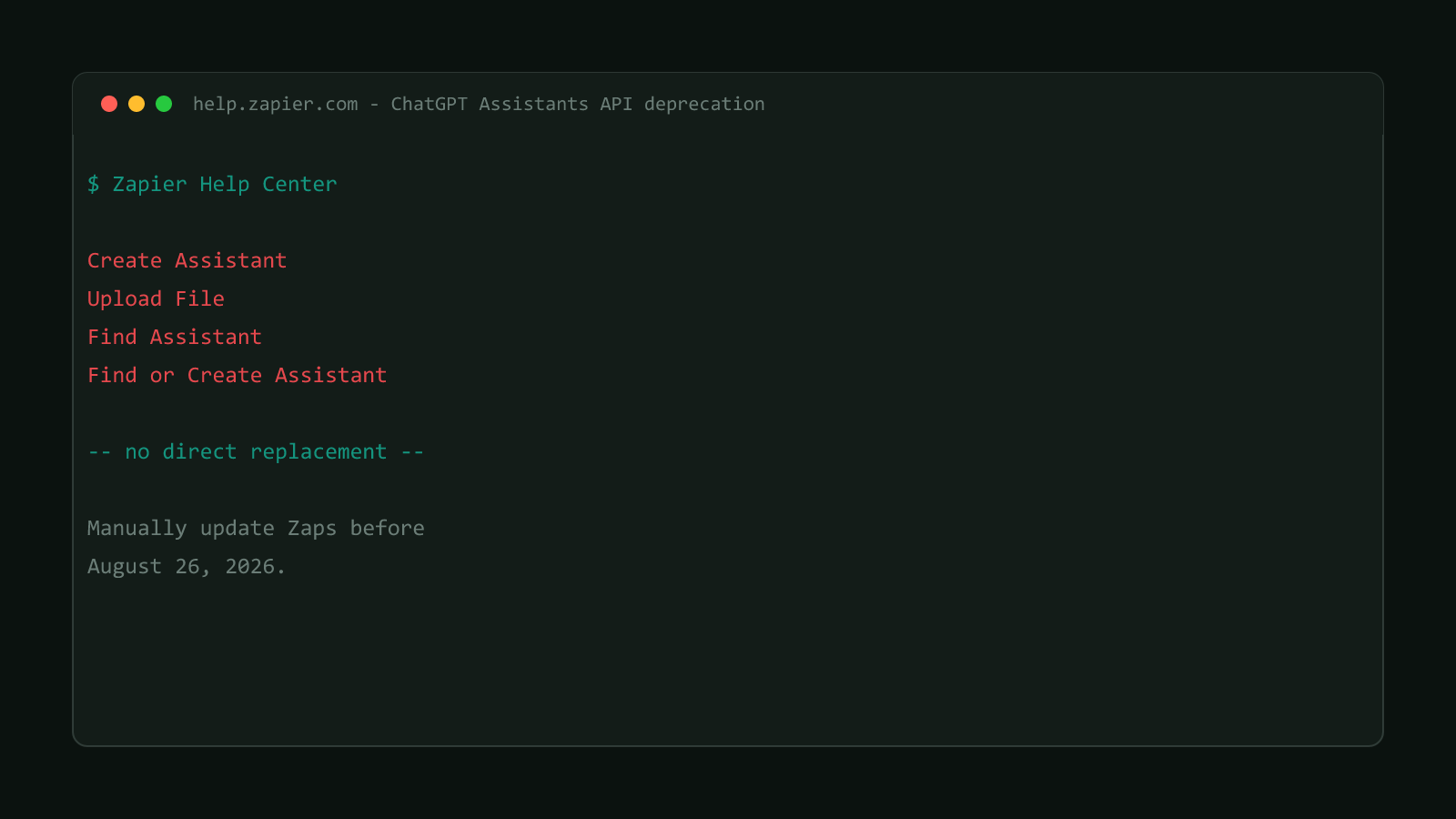
Conversation With Assistant (Legacy) is the one action Zapier auto-migrates. Create Assistant, Upload File, Find Assistant, and Find or Create Assistant get no automatic migration at all and need a full rebuild, covered in Rebuild ChatGPT Create Assistant Zaps by Aug 26.
Confirmed version
Sourced from Zapier’s official Help Center advisory on the OpenAI Assistants API deprecation for ChatGPT, updated 2026-07-20, deadline confirmed as 2026-08-26. Browse more posts like this in the Data Automation archive.