Why this keeps showing up in GitHub’s own community forum
Search “Copilot credits run out” and you land in the middle of a real, ongoing argument among GitHub admins about what actually happens. GitHub’s own community-run FAQ thread, discussion #197089, “All GitHub Copilot plans are now on usage-based billing”, has drawn hundreds of comments since the June 2026 rollout, many of them asking the exact question this post answers.
Two other threads narrow the confusion to specific scenarios. In discussion #197557, a student reports their entire monthly Student-plan allowance gone after roughly 10 to 20 Agent Mode requests on the first day of a new cycle, a number the poster gives as 200 credits for that plan; that figure comes from the reporting user, not from GitHub’s own published plan table, which doesn’t list an exact Student allowance. In discussion #197605, an enterprise admin describes a setting that used to read “$0 budget” and block overage automatically now showing “No Usage Limit” instead, and asks how to stop unexpected charges. That admin’s confusion is the same one this post exists to resolve.
What happens on an individual plan: Pro, Pro+, and Max
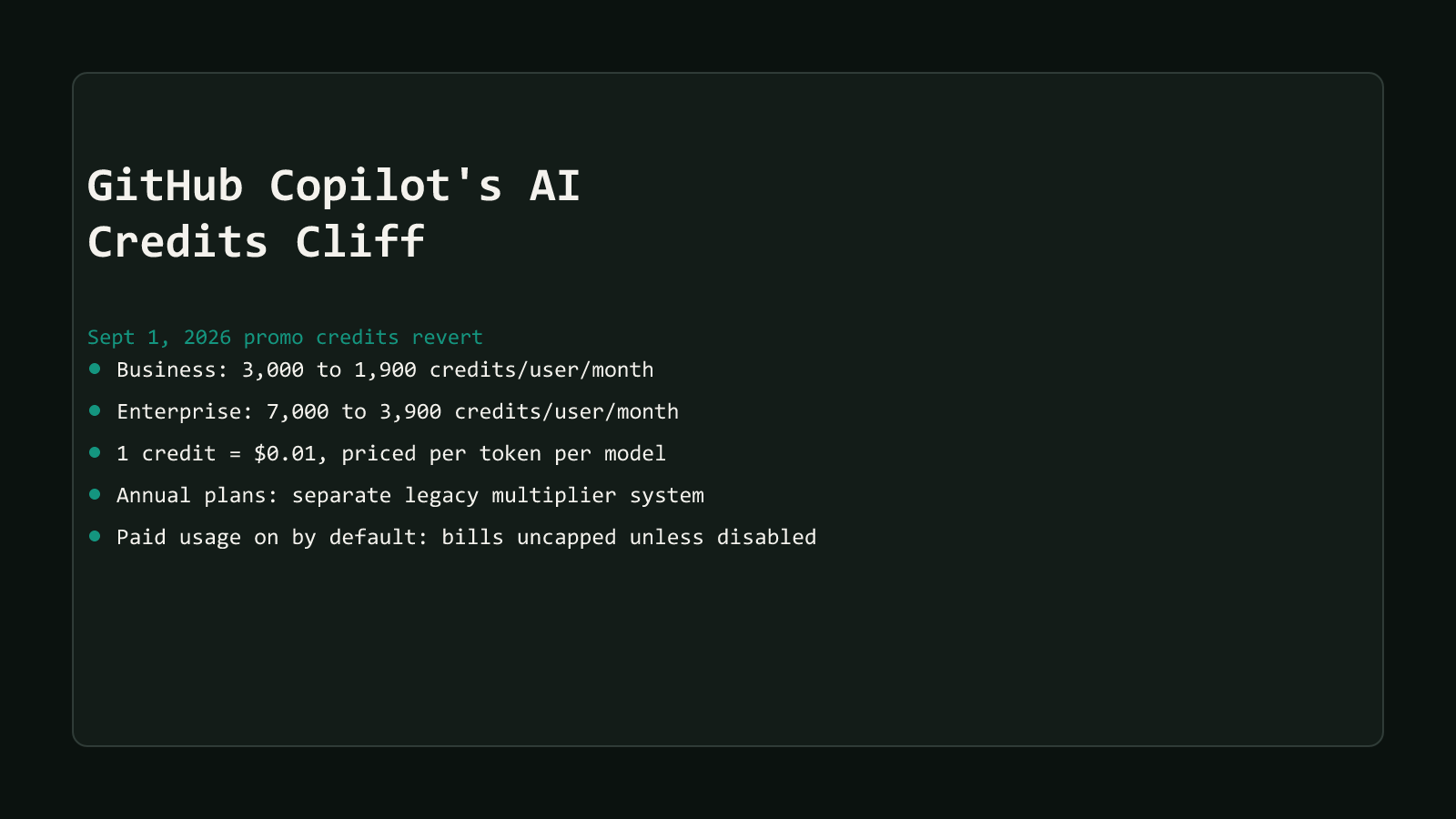
Copilot Pro includes 1,500 AI credits a month (1,000 base plus a 500 flex allotment), Pro+ includes 7,000 (3,900 base plus 3,100 flex), and Max includes 20,000 (10,000 base plus 10,000 flex), each priced at 1 AI credit = $0.01, per GitHub’s individual-plans billing documentation. Once that allowance is gone mid-cycle, GitHub’s docs describe three options, not one automatic outcome:
- Upgrade to the next plan. You’re only charged the price difference, and credit already used in the cycle carries over into the larger allowance.
- Stay on your current plan and pay for more. GitHub frames this as an action you take, not a default that’s already active: you have to set a budget for that additional usage before any of it is served.
- Wait it out. Your allowance resets at 00:00 UTC on the 1st of the next calendar month, the same fixed reset time every plan uses.
Nothing in that page says additional usage is already switched on the way it is for organizations. A Pro or Pro+ subscriber who never touches their billing settings and runs out mid-cycle doesn’t get a silent bill; they get prompted to act.
What happens on Business and Enterprise with no budget configured
This is where the brief that GitHub-admin folklore repeats gets it backward, and it’s worth quoting GitHub’s own docs directly rather than paraphrasing. GitHub’s usage-based billing documentation for organizations and enterprises answers this directly, in the section explaining what happens once a pooled allowance runs out:
Additional usage is enabled by default for organizations and enterprises. If you want to prevent any spending beyond your included AI credits, an administrator must explicitly disable the AI credits paid usage policy in your enterprise’s or organization’s AI Controls settings.
Read that twice. It’s not describing a safety net. An org that has never touched its AI Controls settings, never set a budget, and never disabled anything, keeps billing metered AI credit usage at published per-credit rates the moment its shared pool empties, for as long as usage continues. GitHub’s companion budgets documentation confirms the same default applies to any budget an admin does set:
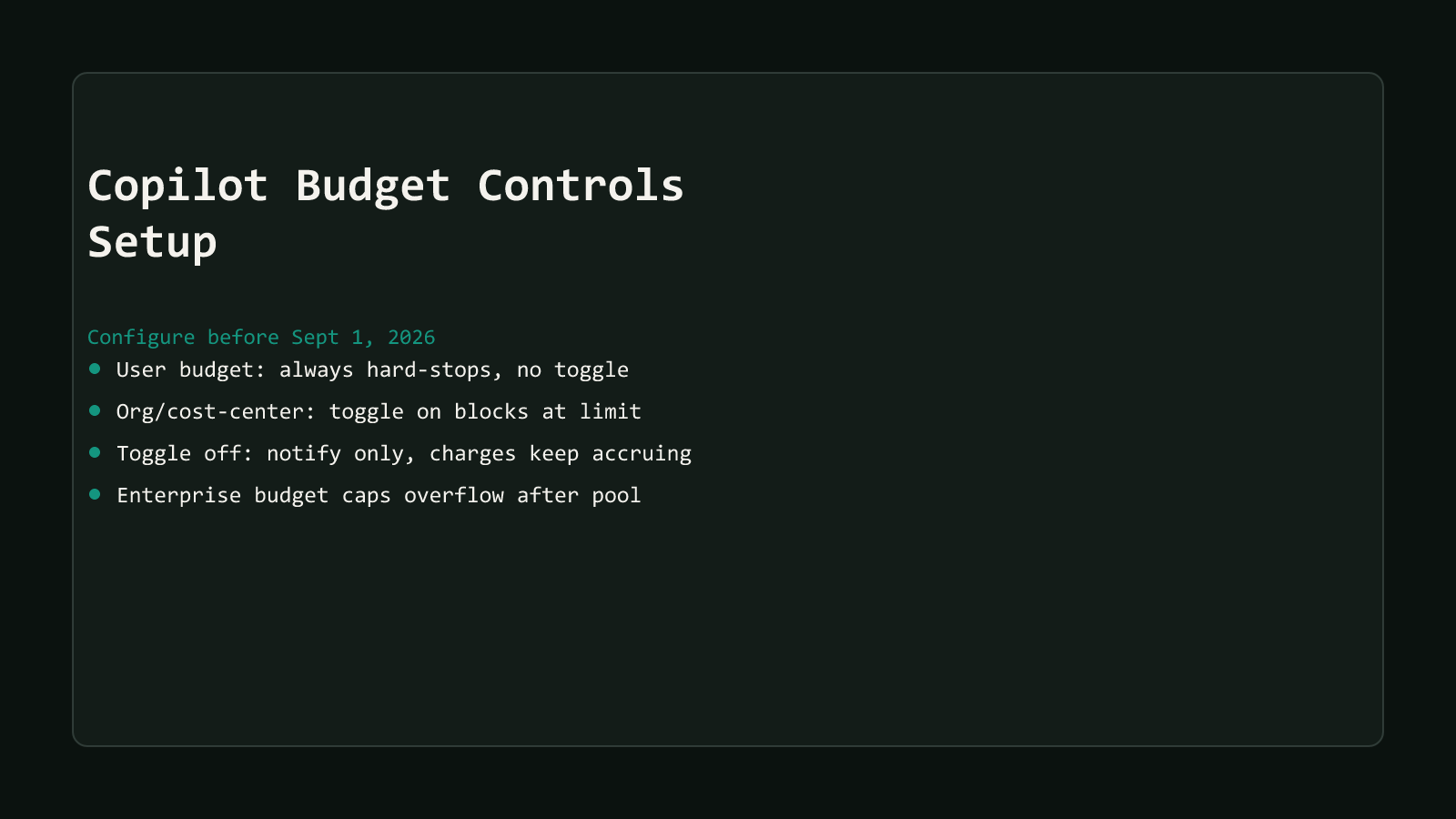
By default, reaching a spending limit sends a notification but does not stop usage. Charges continue to accrue without a cap until you manually intervene.
There is no default $0 budget in the current system
A default $0 budget for premium requests was real once, but GitHub retired it for enterprise and team accounts on December 2, 2025. The AI Credits system that replaced Premium Request Units on June 1, 2026, doesn’t carry that default forward. If you’re picturing a $0 cap protecting you automatically, that assumption is describing a system GitHub no longer runs.
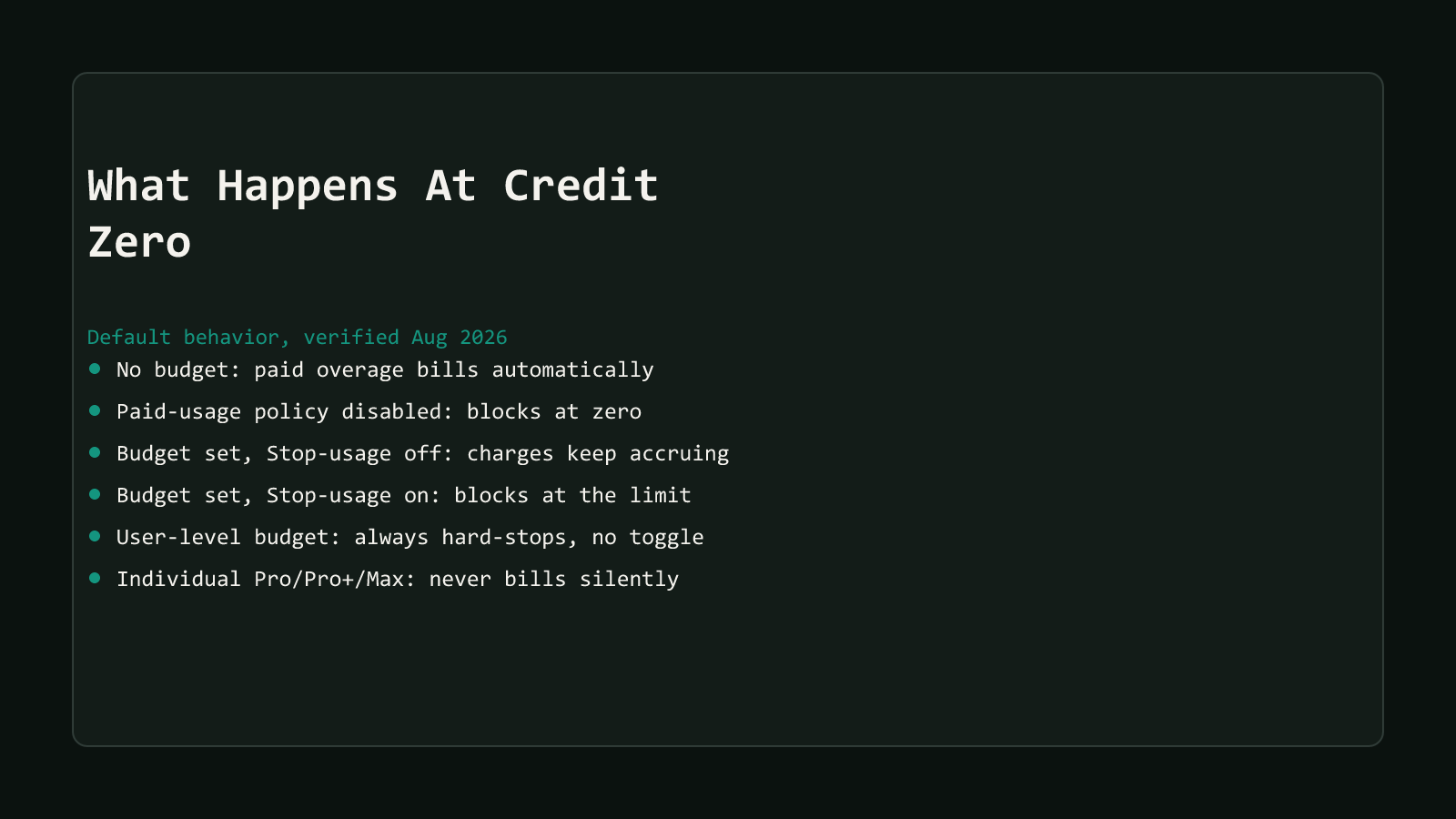
The only configuration that produces a genuine, automatic halt at zero credits is disabling the “AI credits paid usage” policy itself. Do that, and the result is a real stop: nothing more gets served once the pool is empty, and it stays that way until the following month’s allowance lands, regardless of any budget you have or don’t have configured.
Structural Comparison Matrix
| Configuration state | What actually happens at exhaustion |
|---|---|
| Business/Enterprise, nothing configured | “AI credits paid usage” defaults on; metered billing continues automatically at $0.01/credit, uncapped |
| Business/Enterprise, “AI credits paid usage” disabled | Usage blocks entirely once the pool empties, until the next billing cycle, regardless of budgets |
| A budget is set, “Stop usage” toggle left off (its own default) | Admin gets a notification; metered charges keep accruing past that budget’s limit anyway |
| A budget is set, “Stop usage” toggle switched on | Metered usage blocks the moment that budget’s limit is reached |
| A user-level budget (ULB) is set, any plan | Always a hard stop at the limit for that user, no toggle, active across both the pool and metered phases |
| Individual Pro/Pro+/Max, no additional-usage budget set | No silent billing; Copilot prompts an upgrade, waits for reset, or requires a manually set budget |
Every row above is quoted or closely paraphrased from GitHub’s own budgets-for-usage-based-billing and usage-based-billing-for-organizations-and-enterprises documentation, live-checked while drafting this post rather than carried over from an earlier summary.
How the check actually runs, step by step
GitHub’s docs describe the order a single Copilot request gets evaluated in, which is the fastest way to reason about your own org’s real exposure:
- A user-level budget check runs first. Whichever ULB is most specific to that user, individual, then cost-center, then universal, gets checked before anything else happens. Already past that number, and the request never even reaches the shared pool.
- The shared pool absorbs whatever it can. Room left in the pool means this particular call costs nothing extra. The instant that pool hits zero, every subsequent call becomes metered, billed usage instead.
- Metered usage looks for a matching budget. GitHub checks a cost center’s budget first, then an organization’s, then the enterprise-wide spending limit, whichever one actually applies to that user. None of those can block anything unless its own “Stop usage when budget limit is reached” switch has been flipped on.
Skip step 3 entirely, no cost center budget, no org budget, no enterprise limit, and there’s simply nothing left to check. The request goes through as paid overage. That’s the whole mechanism behind the default this post opened with: not a special case, just what happens when the chain above runs out of budgets to consult.
Budgets never downgrade you to a cheaper model
Hitting any limit, ULB or budget, blocks the AI-credit-consuming feature outright. GitHub’s docs are explicit that there’s no automatic fallback to a lower-cost model. Code completions and next-edit suggestions keep working regardless, since those aren’t billed in AI credits at all.
What to do with this before September 1
If your org is running on whatever GitHub set up by default, you are already exposed to uncapped metered billing the moment your pool empties, promotional allowance or not. Checking your org’s “AI credits paid usage” setting takes minutes; discovering it the hard way, in next month’s invoice, doesn’t. The budget-controls setup guide in this series walks through configuring a universal user-level budget, sizing a spending limit, and turning on “Stop usage when budget limit is reached” so the default above stops being the thing protecting or exposing your org by accident.
Decide deliberately: either disable “AI credits paid usage” and accept a hard stop at the pool’s edge, or leave it on and set real budgets with the stop toggle enabled. Doing neither isn’t neutral. It’s the org quietly choosing uncapped, automatic billing, whether anyone meant to or not. For the fuller picture of what’s reverting and when, see the AI Credits cliff hub this post is part of, and browse more coverage in the AI Productivity archive.